Desk Setup Guide · 2026 Edition
Curated ergonomic essentials, aesthetic upgrades, and monitor gear — every pick rigorously tested and affiliate-linked for your budget.
Why We're Different
We're not a store — we're a curation layer. Think Wirecutter meets Grovemade: obsessively researched recommendations at prices that make sense.
We review hundreds of desk accessories so you don't have to. Only the top 1–3 picks in each category make the cut. No fluff, no filler — just gear we'd actually put on our own desks.
Your body is your most important tool. Every chair, monitor arm, keyboard, and wrist rest we recommend is evaluated for real ergonomic benefit — not just aesthetics. We cite ergonomics research.
Whether you're setting up your first home office on $200 or building a Grovemade-level setup at $2,000, we have recommendations at every tier. No gatekeeping — just honest value guidance.
Editor's Gear Guide
Three categories, hand-curated. Click any pick to find it on Amazon — every link is affiliate-supported and reviewed before listing.
Category 01
The foundation of a healthy setup. These are the items that will save your back, wrists, and neck over the long term — and the ROI is enormous compared to physio bills.
Category 02
Your monitor is what you stare at for 8+ hours a day. Getting this right — the right display, the right positioning, the right lighting — changes everything about how you feel at work.
Category 03
The difference between a desk you tolerate and a desk you love is often small, beautiful details. These picks add warmth, personality, and the Grovemade-level finish — for a fraction of the price.
THE DESKWELL METHOD
Whether you're setting up a home office, upgrading your school desk, or outfitting a team — here's the order of operations.
Your chair is the most important purchase. Spend here first. An ergonomic chair prevents the back pain that kills productivity. Look for: adjustable lumbar, seat depth, armrests. Budget at least $200.
Eye level, arm's length away. One or two monitors changes everything. Add a monitor arm — it frees your desk and lets you adjust height/tilt properly. Your neck will thank you.
Cable chaos is a focus killer. Before you buy anything else, route your cables. A cable management tray ($25) and velcro ties ($8) transform a messy desk into a professional setup.
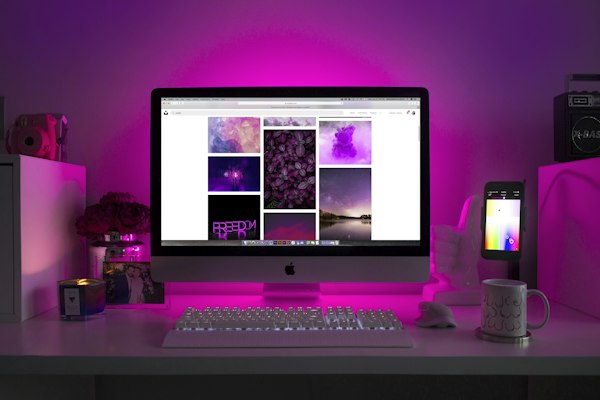
Bad lighting causes eye strain and ruins video calls. Natural light to the side (not behind you). Add a desk lamp with warm/cool temperature control. Bias lighting behind your monitor reduces eye fatigue.
Desk mat, plant, cable box, small whiteboard. These are not luxuries — they define how you feel at your desk every day. A desk you love is a desk you work well at.
DESKWELL RECOMMENDS
Gear is only half the equation. These tools help offices, schools, and remote teams run better.
Prisca Dezigns builds digital brands, websites, and social media presence for businesses and schools. If your workspace needs a web presence to match — they build it.
Explore Prisca Dezigns →The workspace tool of choice for modern teams. Notes, projects, wikis, and databases — all in one. Free for personal use.
Try Notion →Create presentations, office signage, social media content, and brand materials without hiring a designer. Perfect for small offices and schools.
Try Canva →Eliminate back-and-forth emails. Share a link, let people book time. Free plan covers most use cases for small teams.
Try Calendly →WORK SMARTER
Research-backed. Jargon-free. Applicable today.
The 20-20-20 Rule
Every 20 minutes, look at something 20 feet away for 20 seconds. Prevents eye strain. Set a timer.
Desk Height Formula
Sitting: elbows at 90°, forearms parallel to desk. Standing: elbows at 90°, slightly higher than sitting. Most people's desks are too high.
The Two-Monitor Rule
Primary monitor directly in front. Secondary at a slight angle. Never turn your head more than 30° to see it.
Temperature Matters
Studies show 70–77°F (21–25°C) is optimal for office productivity. Too cold = distraction. Too warm = drowsiness.
Plant = Focus
Studies by the University of Exeter found that plants in the workspace increase productivity by 15%. One plant. That's it.
Curated by Deskwell · Full Build Guide Available
This month we're spotlighting a clean, minimal dual-monitor setup that prioritizes posture, reduces cable clutter, and looks stunning without a Grovemade budget. Total spend: under $850. Standing desk, quality chair, premium monitor arm, and a bamboo aesthetic that pulls it all together.
Total Budget
~$850
Setup Type
Dual Monitor
Desk Surface
60" Standing
Aesthetic
Minimal / Warm
From the Blog
In-depth guides, buying advice, and setup ideas — written by people who actually work from home.
May 13, 2026
From minimal aesthetic to ultra-productive dual-monitor configurations — every setup style covered with real product picks.
Read Guide →May 15, 2026
Everything you need to know about setting up an ergonomic workstation — chairs, monitors, keyboards, and posture habits.
Read Guide →May 16, 2026
A monitor arm can transform your desk — but not everyone needs one. We break down the honest case for and against, plus our top picks.
Read Guide →